
Foresite Design Editorial Team · January 2026
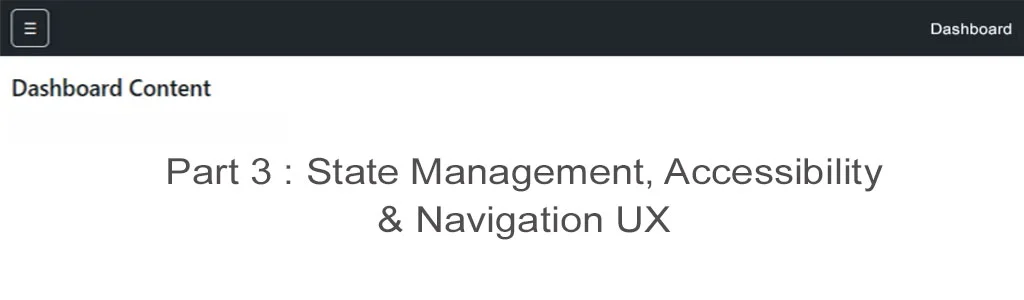
Bootstrap 5 Dashboard - State Management & Accessible Navigation (Part 3)
Dashboards are rarely used once. They are opened repeatedly, often several times a day, and frequently across different devices.
At this stage, visual layout alone is no longer sufficient — the interface must remember user context, respond predictably, and remain accessible to all users.
In Part 3, we enhance our Bootstrap 5 dashboard by introducing navigation state management, persistent UI behaviour, and accessibility improvements that align with modern UX and Core Web Vitals expectations.
This is Part 3 of a 4-part Bootstrap 5 dashboard tutorial series.
Prerequisites
You should already have:
- A fixed navbar controlling an Offcanvas sidebar
- A mobile-first layout foundation
- Bootstrap 5.3+ included
If you have completed Parts 1 and 2, no additional setup is required.
Why State Matters in Dashboard Interfaces
Unlike marketing pages, dashboards are contextual tools.
Without state handling:
- Navigation resets on every page load
- Users lose orientation
- Repeated interactions feel slow and frustrating
State persistence improves:
- Perceived performance
- Task continuity
- Professional polish
Active Navigation States (Without JavaScript Frameworks)
We begin by applying active states directly to navigation links.
        <ul class="nav flex-column" id="dashboardNav">
        <li class="nav-item">
        <a class="nav-link active" aria-current="page" href="index.html">Overview</a>
        </li>
        <li class="nav-item">
        <a class="nav-link" href="analytics.html">Analytics</a>
        </li>
        <li class="nav-item">
        <a class="nav-link" href="users.html">Users</a>
        </li>
        </ul>
Why This Works
- No JavaScript dependency
- Predictable DOM state
- Clear accessibility signal via .active
Persisting Sidebar State with localStorage
Users expect the interface to remember their preferences.
<script defer>
  const sidebar = document.getElementById('dashboardSidebar');

  sidebar.addEventListener('shown.bs.offcanvas', () => {
    localStorage.setItem('sidebarOpen', 'true');
  });

  sidebar.addEventListener('hidden.bs.offcanvas', () => {
    localStorage.setItem('sidebarOpen', 'false');
  });

  window.addEventListener('DOMContentLoaded', () => {
  if (localStorage.getItem('sidebarOpen') === 'true') {
    new bootstrap.Offcanvas(sidebar).show();
  }
});
</script>
UX Benefits
- Consistent navigation behaviour
- Reduced repetitive interaction
- No performance penalty when deferred
Keyboard Navigation & Focus Management
Bootstrap provides solid defaults, but dashboards benefit from explicit intent.
Accessibility Enhancements
- Ensure toggle buttons include aria-label
- Avoid removing focus outlines
- Keep navigation order logical
       <button
       class="btn btn-outline-light"
       aria-label="Toggle dashboard navigation"
       data-bs-toggle="offcanvas"
       data-bs-target="#dashboardSidebar">
       ☰
       </button>
This ensures:
- Screen reader clarity
- Keyboard-only usability
- WCAG-aligned interaction patterns
Avoiding CLS When Persisting State
A common mistake is auto-opening navigation before layout stabilises.
Best Practice:
- Let the page render
- Restore state after load
- Never animate width or height on nav elements
This maintains Cumulative Layout Shift near zero.
Live Preview
Part 3 transforms your dashboard from a static layout into a usable, professional interface.
The focus shifts from appearance to behaviour, which is where most dashboards succeed or fail.
What You Have After Part 3
At this stage, your dashboard includes:
- Persistent navigation state
- Accessible controls and labels
- Predictable interaction patterns
- Strong Core Web Vitals characteristics
- A UX suitable for real-world use
What's Next (Part 4)
In Part 4, we will:
- Add dashboard content components
- Introduce layout density patterns
- Handle desktop-expanded navigation
- Finalise production-ready refinements
Download the Demo Template
A working demo of this layout is available as a downloadable ZIP file.
It includes a clean HTML structure designed to score well in Lighthouse and serve as a reliable base for further development.
Download the Bootstrap 5 Dashboard Demo (Part 3)
Full tutorials
- Part 1: Offcanvas Sidebar Navigation
- Part 2: Dashboard Layout & Structure
- Part 3: Bootstrap 5 Dashboard - State Management & Accessible Navigation (This Article)
- Part 4: Production Ready
- Blog Home View more posts.