
Foresite Design Editorial Team · January 2026
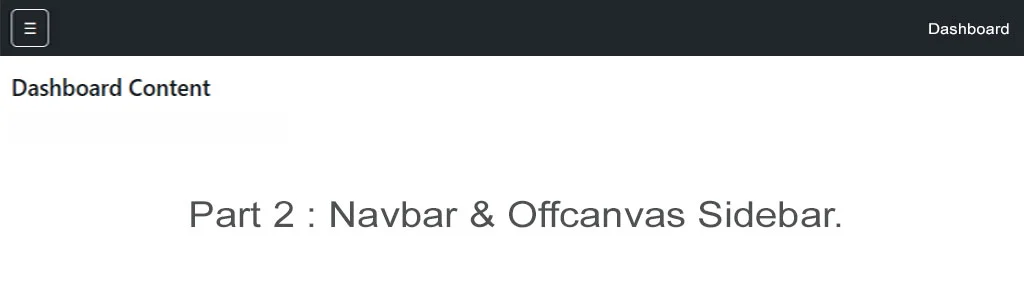
Bootstrap 5 Dashboard Layout - Fixed Navbar with Offcanvas Control (Part 2)
In Part 1, we implemented a responsive Offcanvas sidebar suitable for dashboard layouts. In this section, we extend that foundation by introducing a fixed top navbar that controls the Offcanvas component—an approach commonly used in admin panels and SaaS dashboards.
This pattern improves usability on mobile devices while maintaining a clean, professional interface on larger screens.
This is Part 2 of a 4-part Bootstrap 5 dashboard tutorial, where each article builds on the last and results in a fully functional, production-ready dashboard template.
Prerequisites
Before continuing, ensure the following are in place:
- Basic knowledge of HTML and CSS
- Bootstrap 5.3+ included via CDN or local build
- Understanding of responsive and mobile-first layouts
If you have completed Part 1, no additional setup is required.
Adding a Fixed Navbar to Control the Offcanvas Sidebar
The fixed navbar acts as the primary control surface for your dashboard navigation. On smaller screens, it provides a clear and accessible toggle for the Offcanvas menu. On larger screens, it reinforces the dashboard structure without consuming unnecessary space.
- The key principle here is separation of concerns:
- The navbar handles global actions and branding
- The Offcanvas component handles navigation
This keeps the layout predictable and easy to extend later.
<nav class="navbar navbar-dark bg-dark fixed-top">
  <div class="container-fluid">
    <button
      class="btn btn-outline-light"
      aria-label="Toggle dashboard navigation"
      data-bs-toggle="offcanvas"
      data-bs-target="#dashboardSidebar">
      ☰
    </button>
    <span class="navbar-brand ms-2">Admin Dashboard</span>
  </div>
</nav>

<div class="offcanvas offcanvas-start" tabindex="-1" id="dashboardSidebar">
  <div class="offcanvas-header">
    <h5 class="offcanvas-title">Navigation</h5>
    <button type="button" class="btn-close" data-bs-dismiss="offcanvas"></button>
  </div>
  <div class="offcanvas-body">
    <ul class="nav flex-column">
      <li class="nav-item"><a class="nav-link" href="#">Overview</a></li>
      <li class="nav-item"><a class="nav-link" href="#">Analytics</a></li>
      <li class="nav-item"><a class="nav-link" href="#">Users</a></li>
      <li class="nav-item"><a class="nav-link" href="#">Settings</a></li>
    </ul>
  </div>
</div>
This structure uses Bootstrap's native data attributes, meaning no custom JavaScript is required for basic interaction.
This reduces complexity and improves long-term maintainability.
Live Preview
Managing Layout Spacing for Fixed Navigation
Because the navbar is fixed, the main content area must be offset to prevent overlap.
This should be handled using spacing utilities rather than custom CSS wherever possible.
A simple top padding or margin applied to the main container ensures layout stability and avoids cumulative layout shift.
This approach also keeps the layout predictable when additional components such as alerts or breadcrumb navigation are introduced later.
Optimising Core Web Vitals in a Dashboard Context
Performance is particularly important for dashboard interfaces, which are often used repeatedly and across a wide range of devices.
Small inefficiencies in navigation can quickly compound into poor user experience.
Largest Contentful Paint (LCP)
To improve initial load performance:
- Load Bootstrap from a CDN that supports HTTP/2
- Avoid background images or large icons in navigation components
- Keep sidebar content lightweight and text-focused
- Ensure the primary dashboard heading appears early in the DOM
This allows the browser to render meaningful content as quickly as possible.
Cumulative Layout Shift (CLS)
Navigation-related layout shifts are a common issue in dashboards. To prevent them:
- Use a fixed-height .navbar component
- Avoid injecting navigation elements dynamically after page load
- Position overlays, such as copy-to-clipboard text, using absolute positioning
- Do not animate height or width on navigation elements
These steps ensure visual stability during both load and interaction.
Interaction to Next Paint (INP)
Navigation should feel immediate, especially on touch devices. To keep interaction latency low:
- Use Bootstrap's bundled JavaScript rather than custom handlers
- Defer JavaScript loading with the defer attribute
- Avoid third-party scripts in core navigation areas
- Keep event listeners minimal and well-scoped
This results in a more responsive and professional-feeling interface.
Why This Navigation Pattern Works
Combining a fixed navbar with an Offcanvas sidebar provides several long-term benefits:
- Consistent navigation across screen sizes
- Minimal JavaScript overhead
- Strong accessibility defaults via Bootstrap
- Excellent performance characteristics when implemented correctly
This pattern scales well as your dashboard grows, making it suitable for both small internal tools and larger commercial applications.
Full tutorials
- Part 1: Offcanvas Sidebar Navigation
- Part 2: Dashboard Layout & Structure (This Article)
- Part 3: Accessibility & Link States
- Part 4: Production Ready
- Blog Home View more posts.